Build software with your own AI team.
Describe an idea. A Master Agent plans it, specialist agents design, code and test it, and the real app runs in a live preview while you watch.
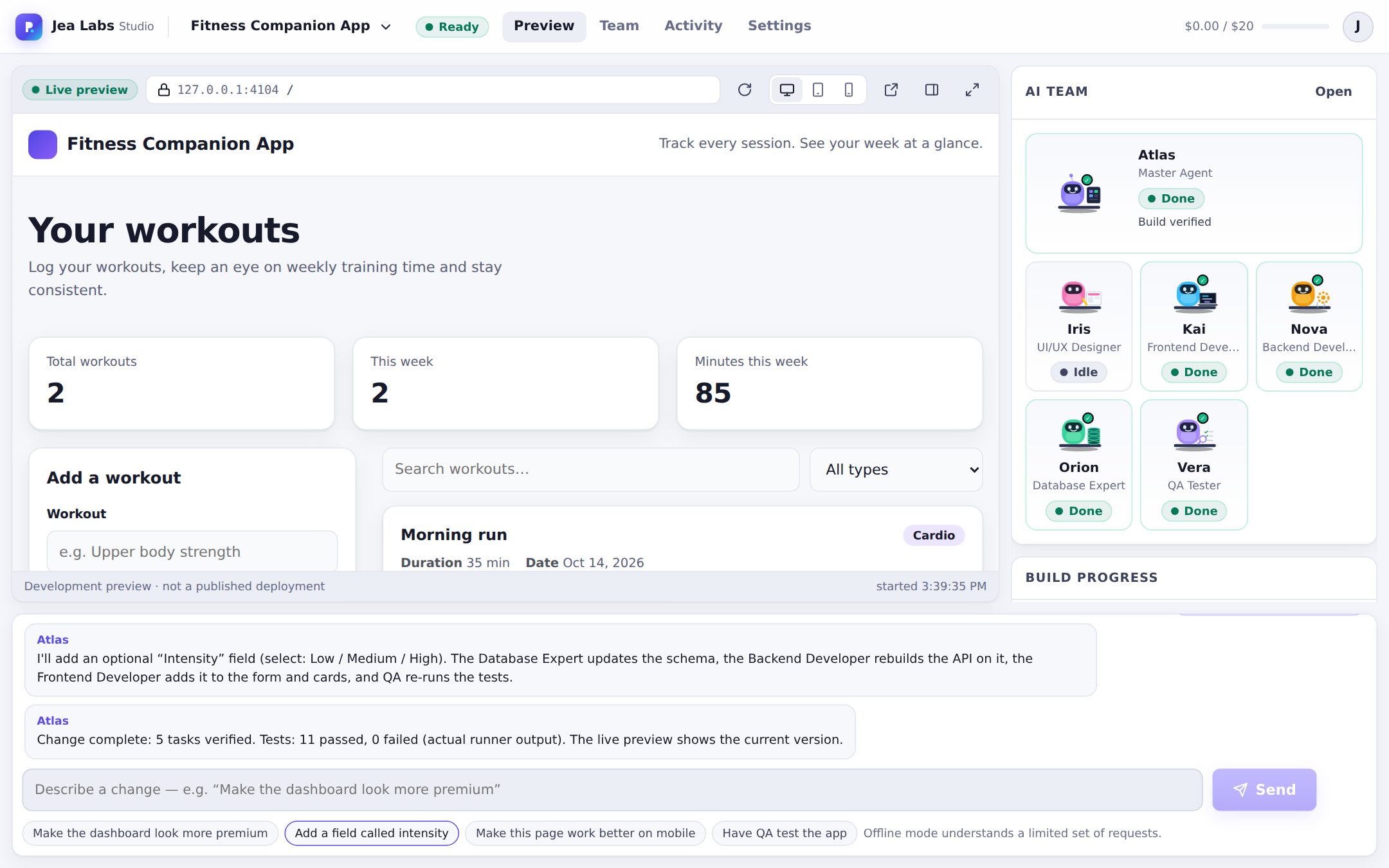
From idea to a running, tested app
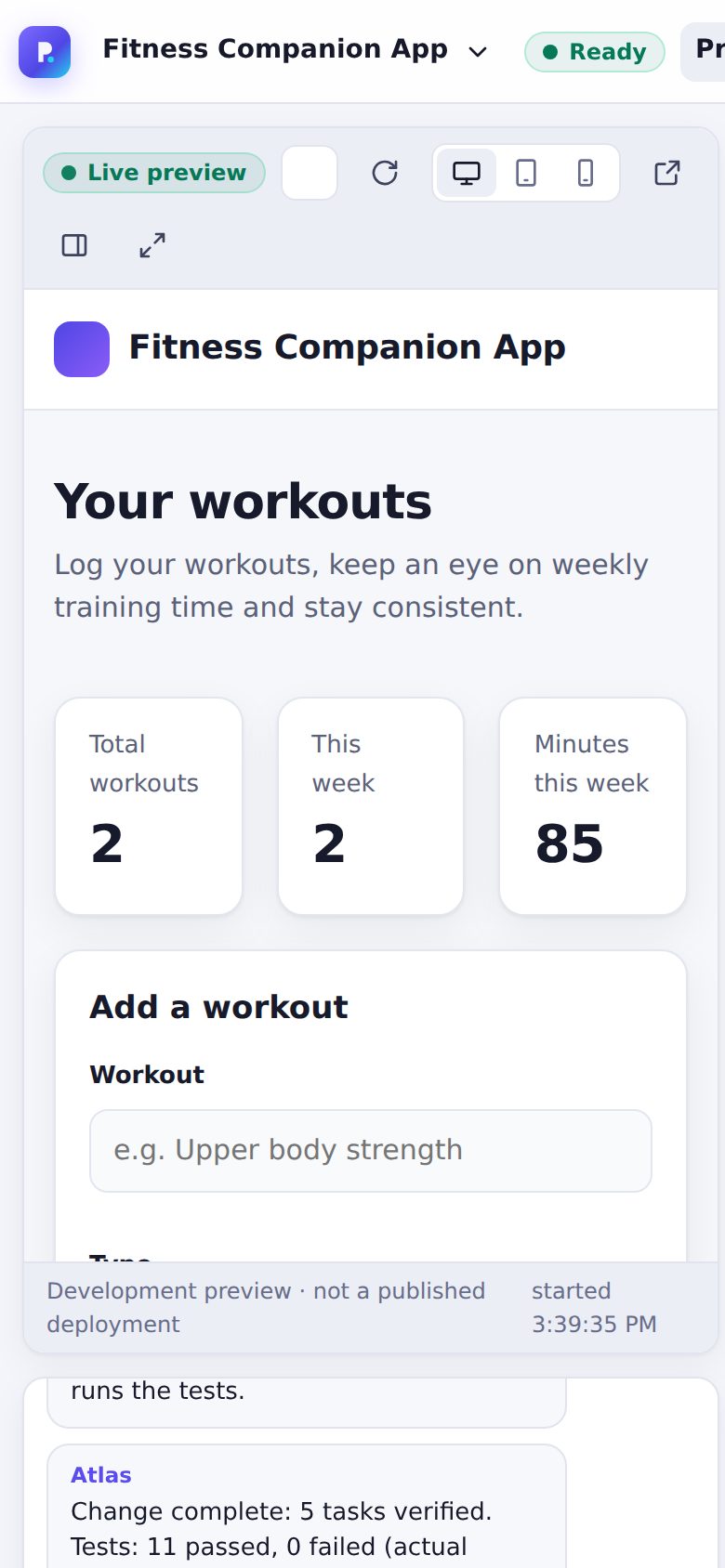
Every screenshot below is from the actual studio building a “Fitness Companion App”. No terminal, Git or setup needed.
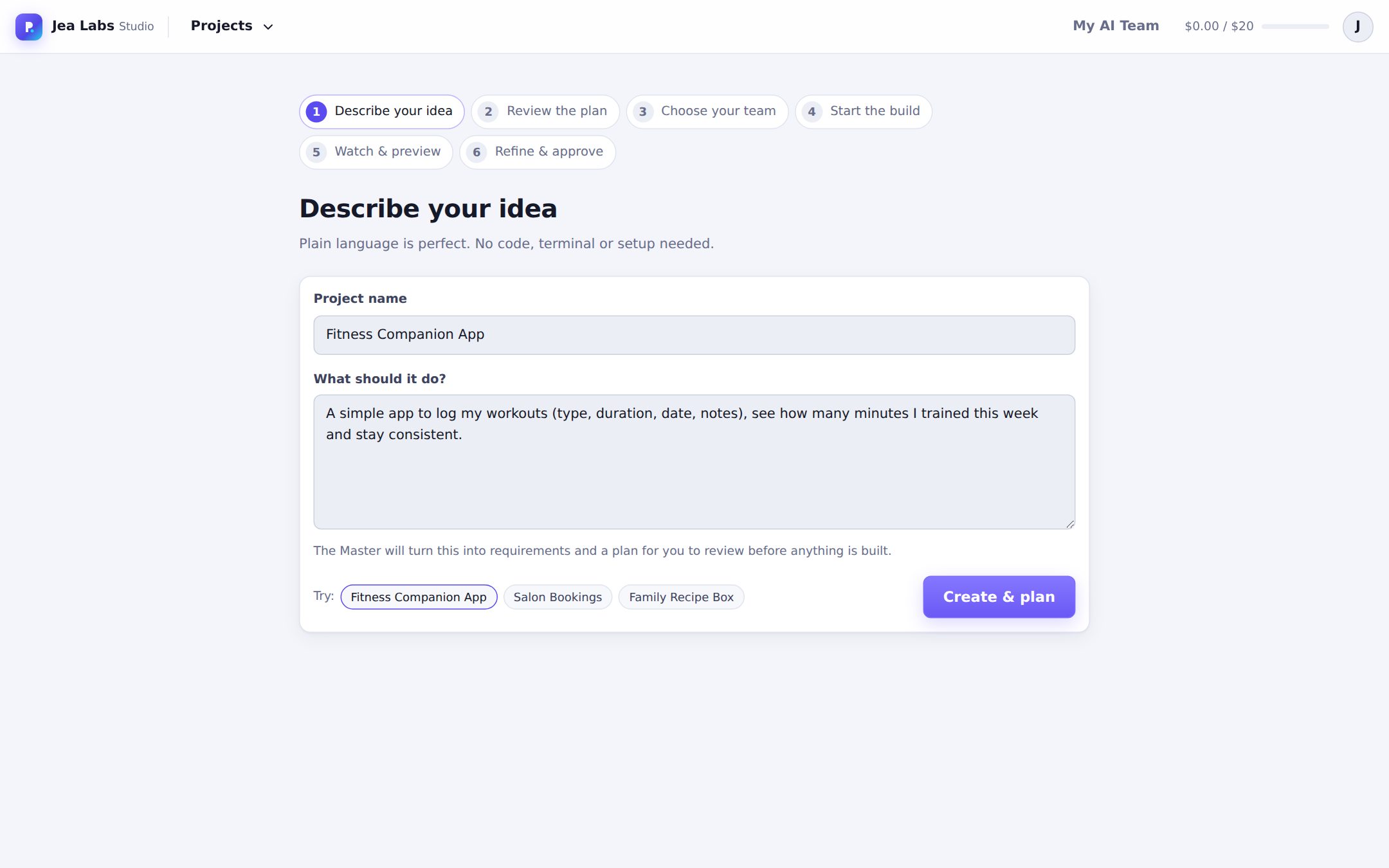
Describe your idea
Plain language is enough: who it's for and what people should be able to do.
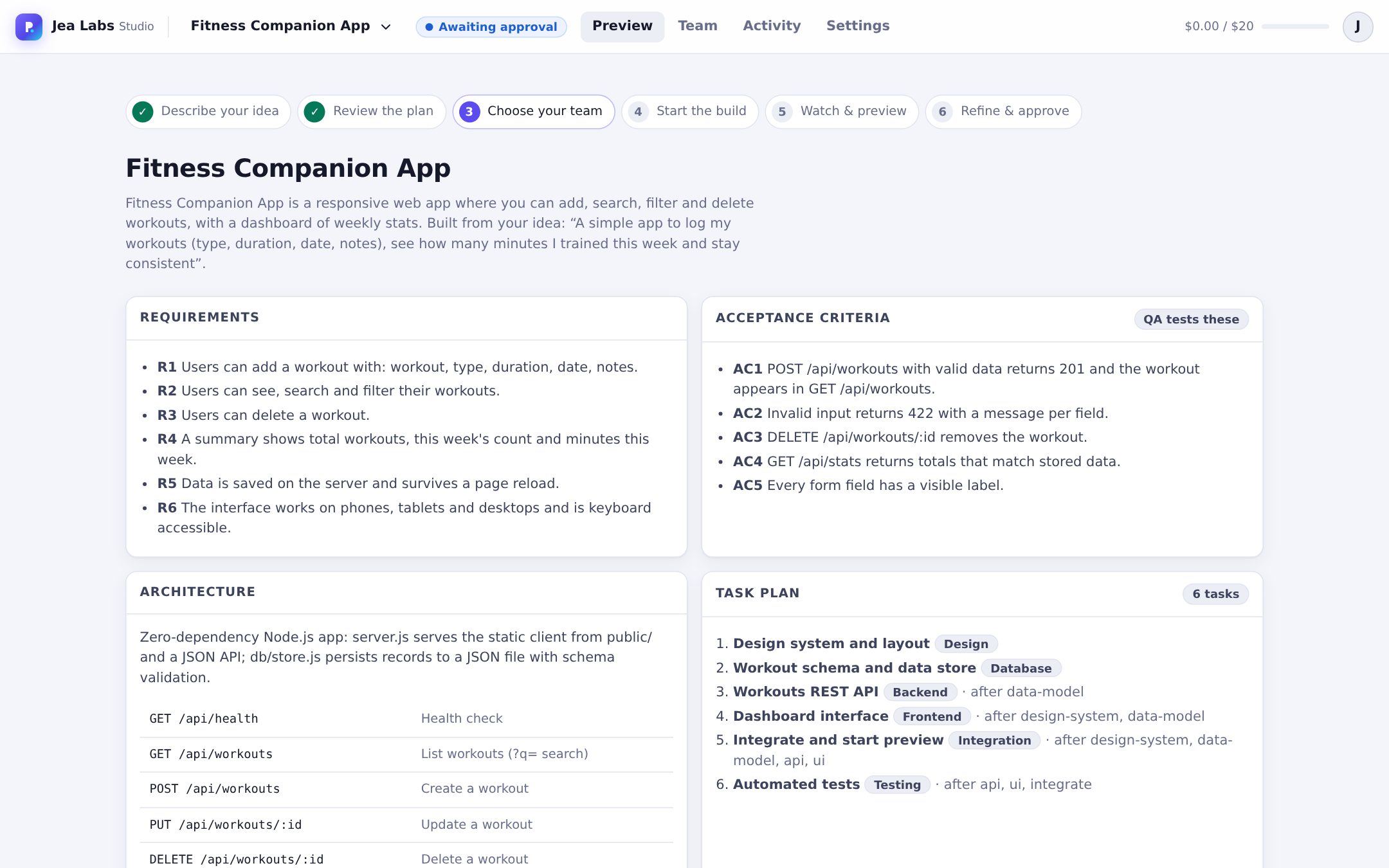
Review the plan before anything is built
The Master Agent writes requirements, testable acceptance criteria, the API design and a task plan with dependencies. Nothing starts until you approve it.
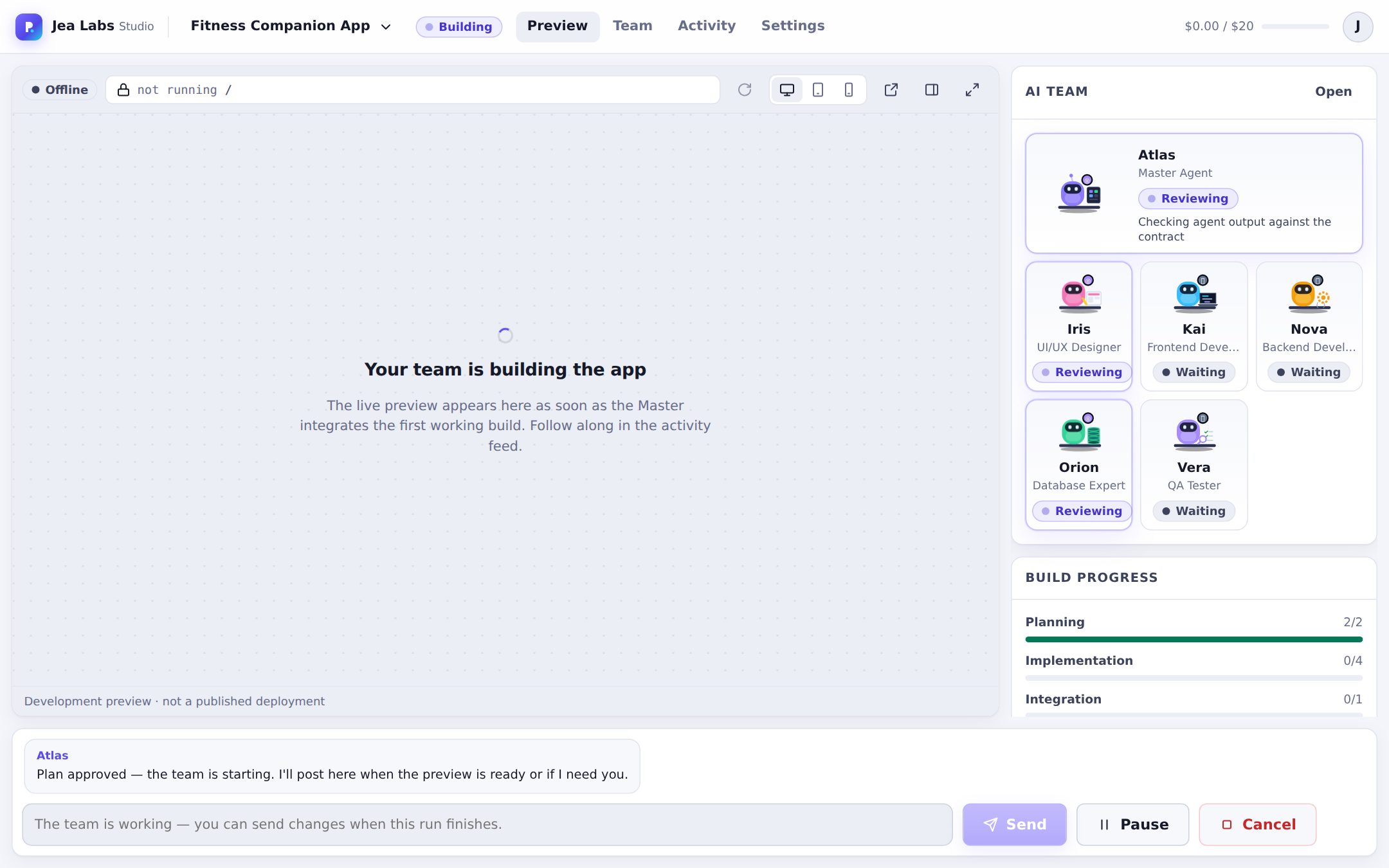
Watch the team work
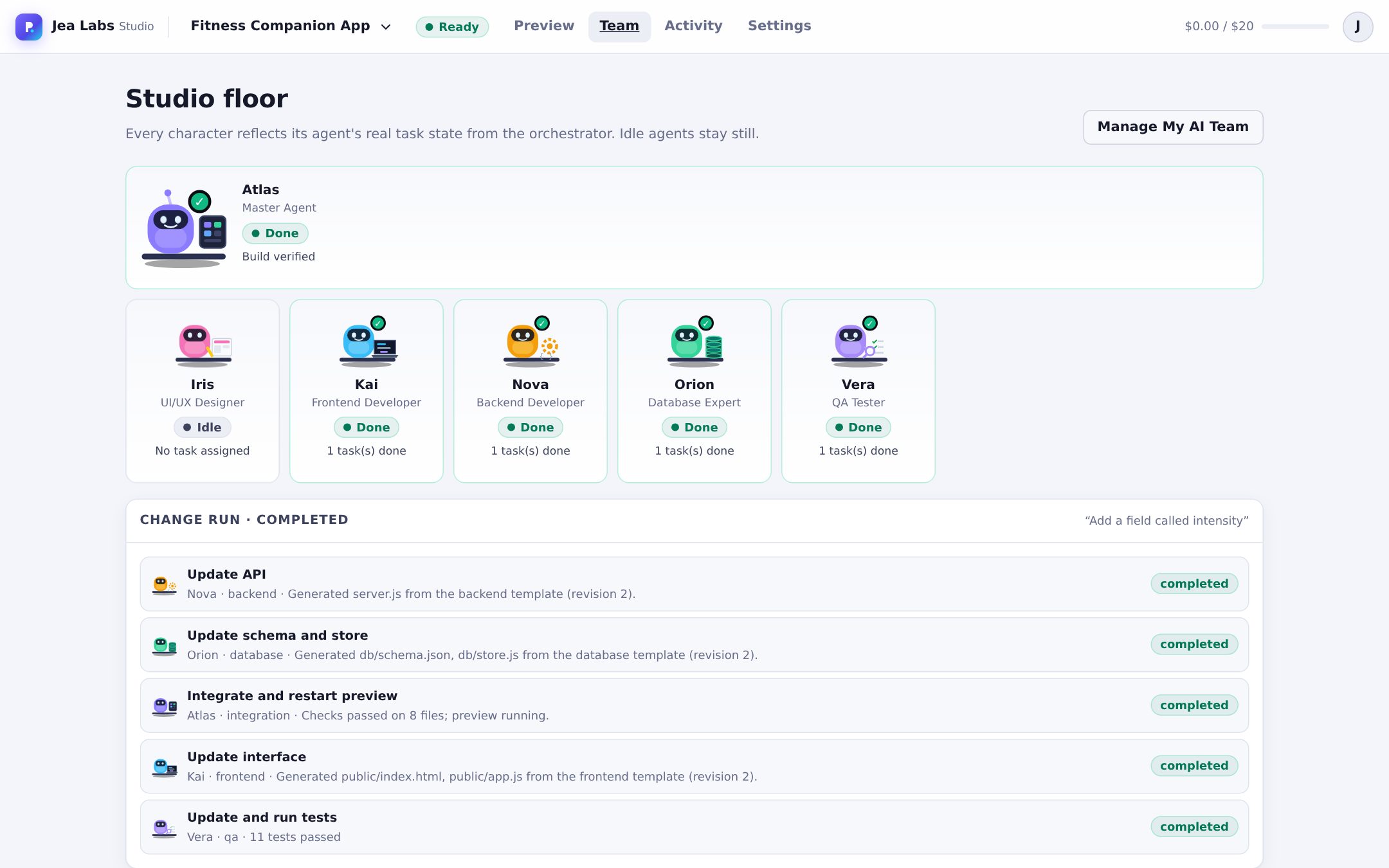
Tasks run in dependency order. Agents that own different files work in parallel; the others wait. Each character's animation and status come from its real task state.
- Every change is checkpointed before it's applied
- Code that fails checks is rolled back and retried
Use the real app, live
The preview is the generated application running in a sandbox, not a mockup. Add data, switch between desktop, tablet and phone sizes, or open it full screen.
Ask for changes in chat
“Add a field called intensity.” The Master works out who's affected and only involves them. Here the database, backend and frontend agents updated their files, the designer stayed idle, and QA re-ran the tests. Data you entered is kept.
Inspect everything
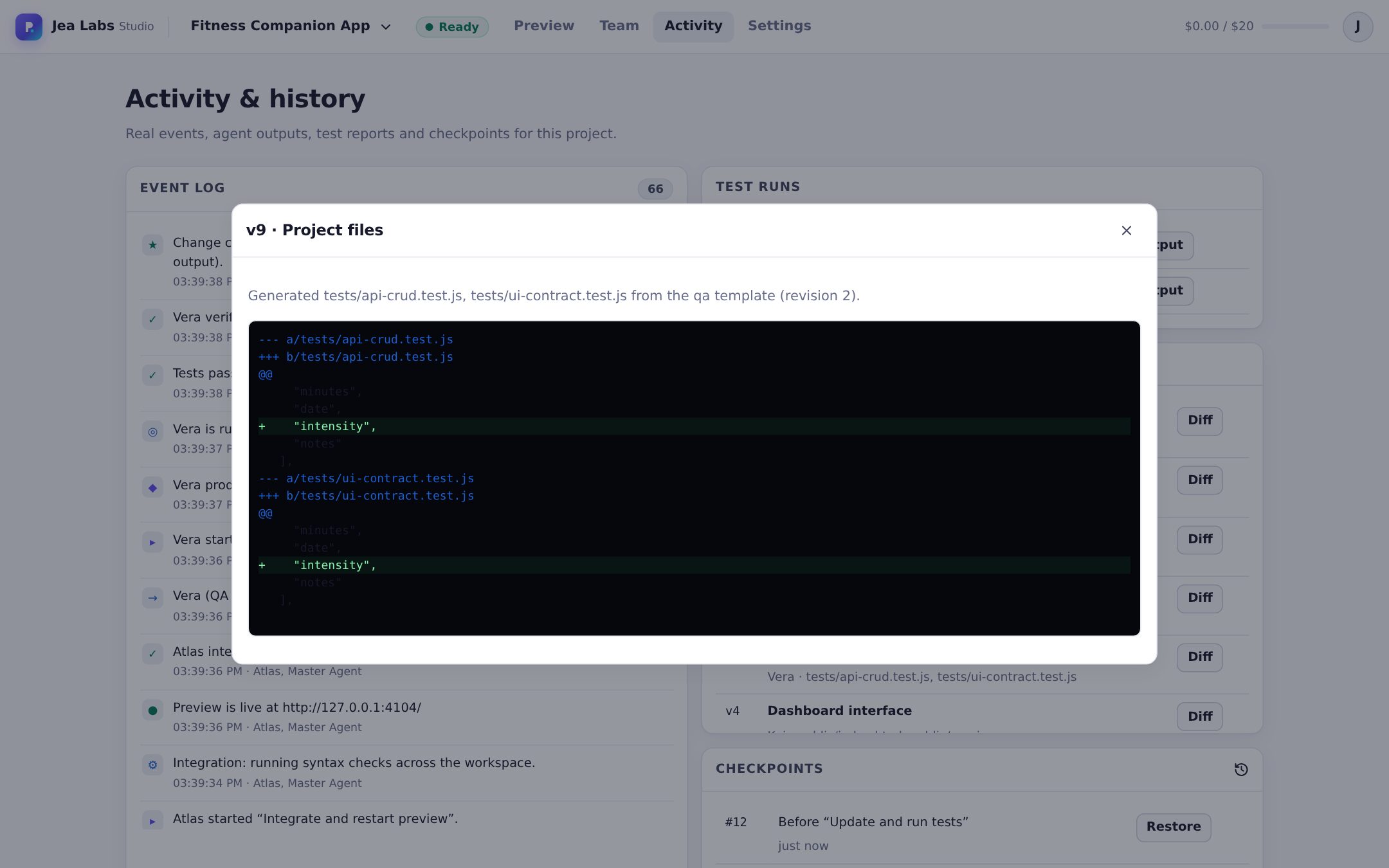
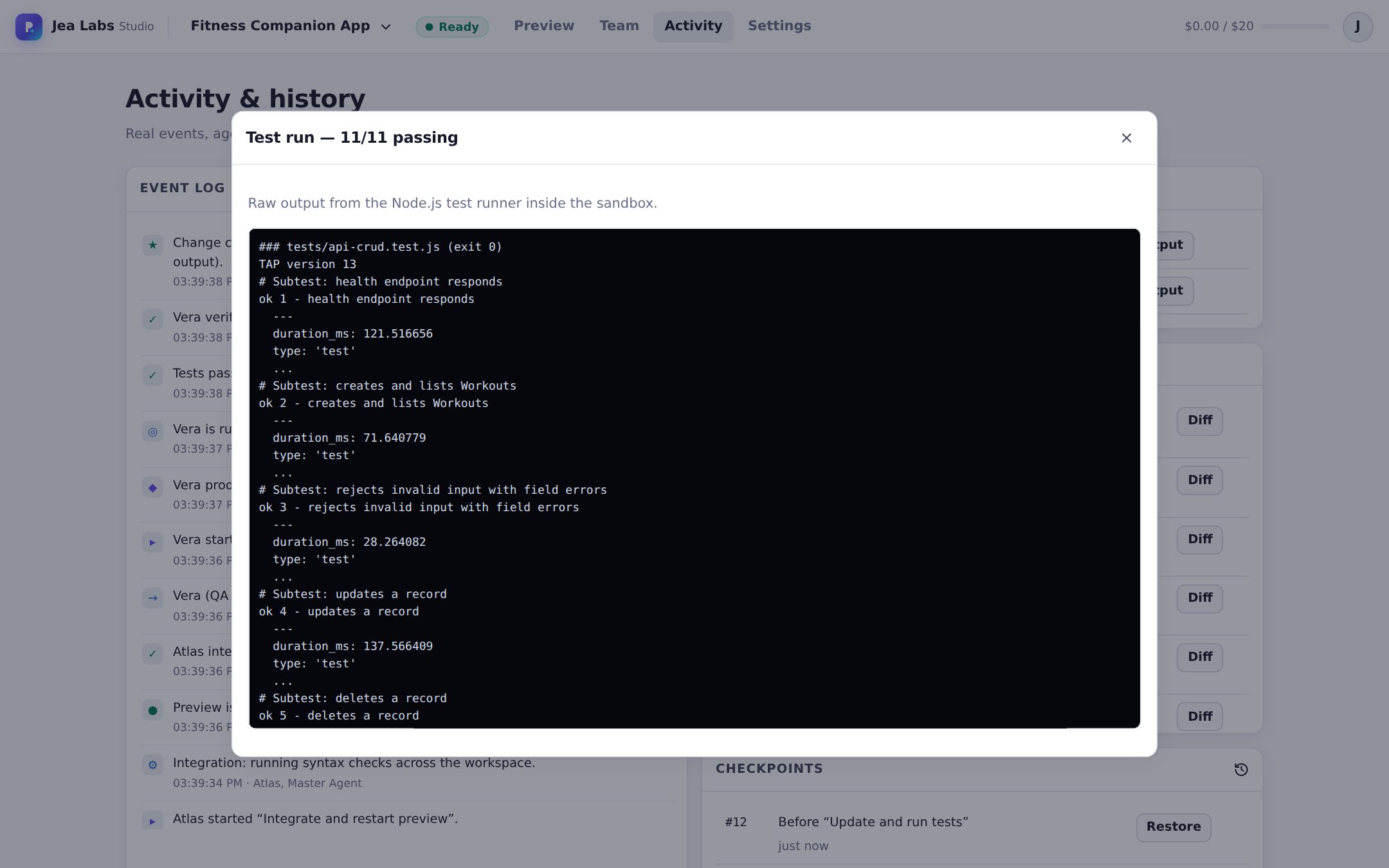
Every agent output is versioned with a diff, every test run keeps its raw output, and any checkpoint can be restored.
Specialists you can customize and reuse
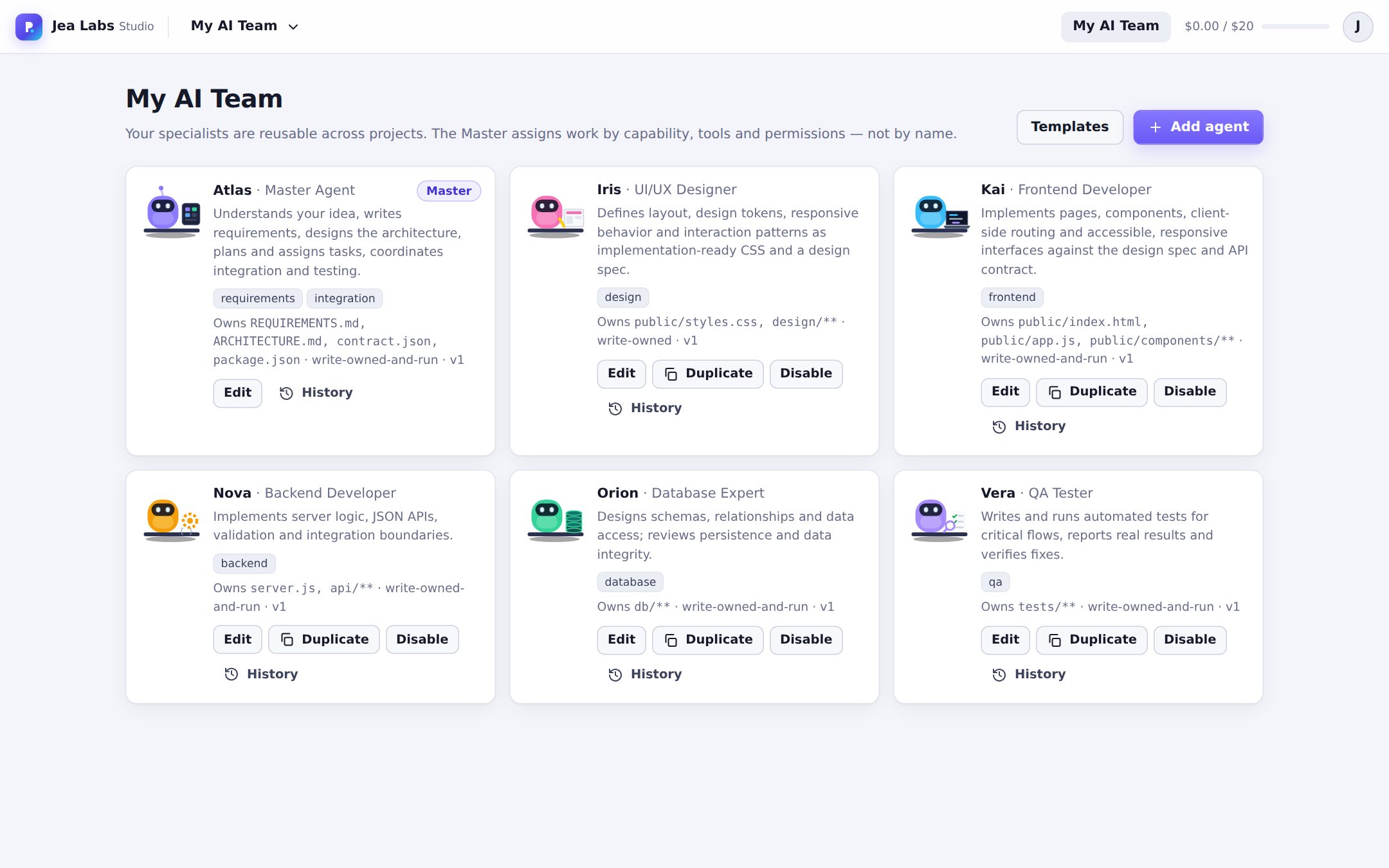
Every studio starts with a Master Agent and five specialists. Add your own from templates or from scratch: name, character, role, instructions, task types, tools, owned files, model and limits. Each edit is versioned.
Matched by capability, not name
The Master assigns work by task type, tools, permissions and expertise.
No stepping on each other
Each agent owns specific files. Writes outside them are rejected.
Platform rules come first
Custom instructions can't override the security rules, which are also enforced in code.
Nothing on screen is faked
A rule the whole studio is built around.
Real preview
The app you see is the generated code running, served from its own isolated origin.
Real test results
QA runs actual tests and the studio stores the test runner's raw output. Failures go back to the agent that owns the code.
Real progress
Progress bars and character states come from saved tasks, not timers. Idle agents stay still.
Where the studio is today
- Availability
- In development and running locally. There is no public sign-up yet.
- AI models
- Claude support is built in. The screenshots on this page were made in offline mode, which uses a built-in template engine instead of an AI model: the code, preview and tests are real, but it handles a fixed set of app types and change requests.
- Generated apps
- Currently small web apps built on Node.js with no third-party packages, so they run without installing anything.
- Deployment
- One-click publishing isn't built yet. Projects can be exported as code.